NVENC and CUDA are different silicon - so share the card
I had one good GPU - an RTX 5080 - and two jobs that both wanted it. One was a local LLM (ollama, serving models for the homelab's agents). The other was Tdarr transcoding the film library to AV1. Conventional wisdom says a GPU is an exclusive resource: pick one, or buy a second card.
Conventional wisdom is treating the GPU as a single thing. It isn't.
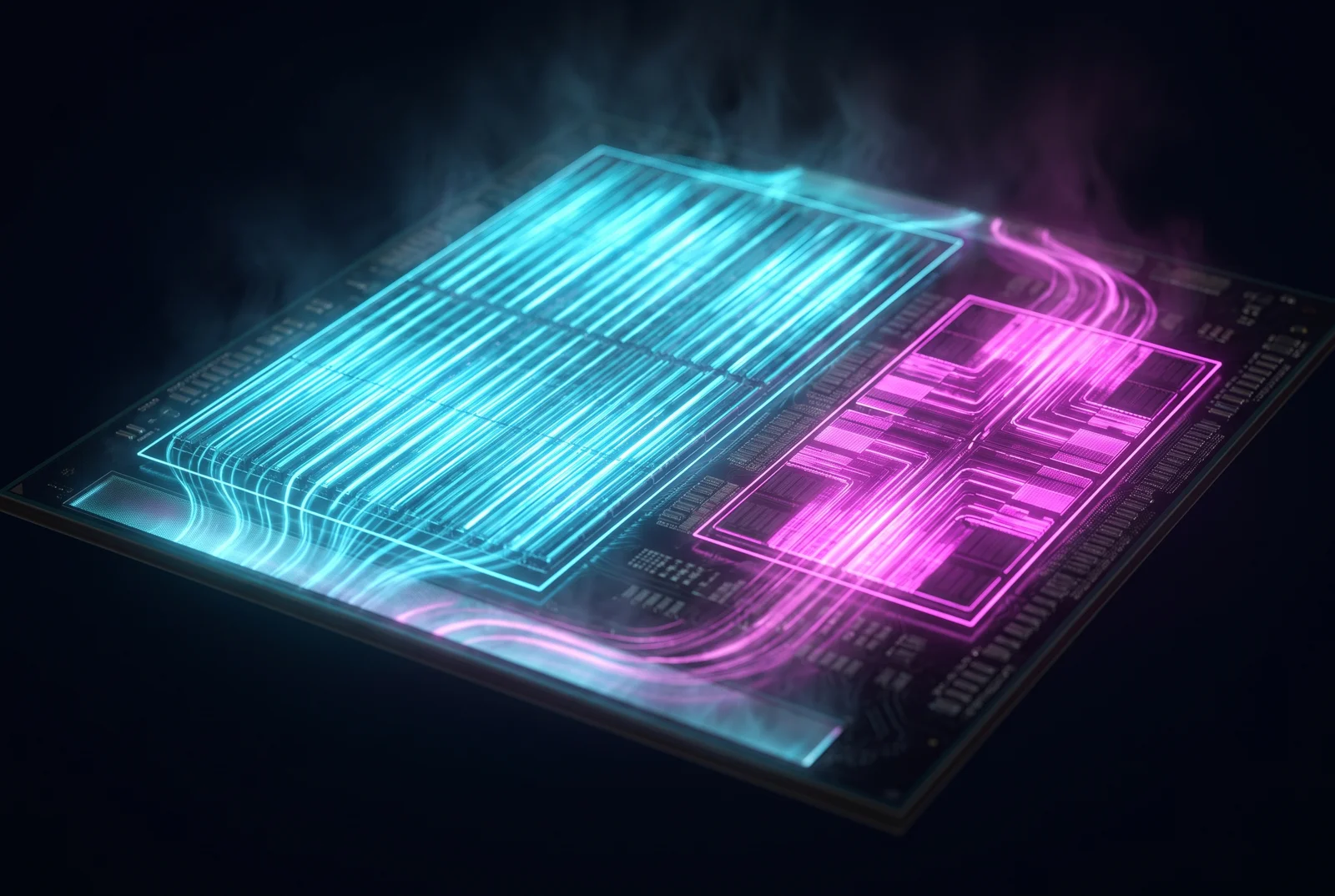
A GPU is several chips wearing one heatsink
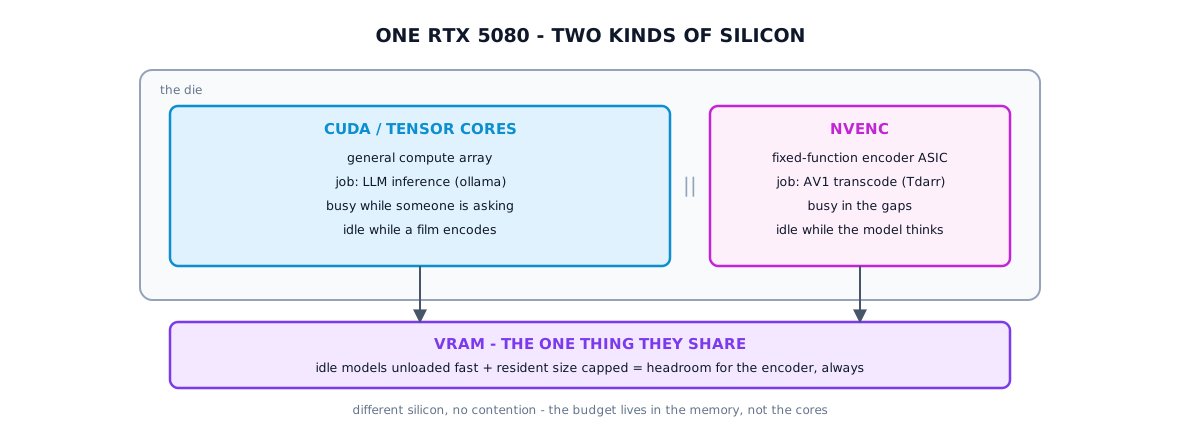
The LLM runs on the CUDA / tensor cores - the big general-purpose compute array. The AV1 transcode runs on NVENC, a dedicated, fixed-function video-encoder ASIC that sits on the same die but is entirely separate silicon. They don't share execution units. A model doing inference and a video being encoded are, at the hardware level, barely aware of each other.
Which means the "exclusive resource" framing is wrong for this pair of workloads. The encoder block is idle the entire time the LLM is thinking, and the compute cores are idle while NVENC chews through a movie. Running them together isn't overcommitment - it's using two parts of a chip you already paid for.
Time-slicing: make Kubernetes see more than one
By default the NVIDIA device plugin advertises the physical GPU as a single allocatable unit, and Kubernetes will hand it to exactly one pod. To let both pods schedule, you turn on time-slicing: the plugin advertises the one card as N schedulable slots. The whole feature is one ConfigMap:
apiVersion: v1
kind: ConfigMap
metadata:
  name: nvidia-device-plugin-config
data:
  config.yaml: |
    version: v1
    sharing:
      timeSlicing:
        resources:
          - name: nvidia.com/gpu
            replicas: 4
Point the plugin at it, and the node stops advertising nvidia.com/gpu: 1 and starts advertising 4.
ollama claims a slot, the transcode node claims a slot, both pods start.
Two things matter here, and both are easy to get wrong:
-
Time-slicing partitions scheduling, not the GPU. It does not carve up VRAM or give either workload isolation - it just lets more than one pod hold a handle. The real shared, finite resource is the VRAM.
-
The shared resource is memory, so memory is where the discipline goes. The LLM keeps idle models out of VRAM and you cap how many can be resident, so there's always headroom for the encoder's working set:
env:
  - name: OLLAMA_KEEP_ALIVE
    value: "30s"          # unload a model 30s after its last request
  - name: OLLAMA_MAX_LOADED_MODELS
    value: "1"            # one resident model, never a pile-up
Get that budget right and the two coexist; ignore it and they fight over the one thing they do share.
The bits that bite
A few sharp edges from doing it for real:
-
The device plugin won't notice the change. It reads its time-slicing config at start, with no live reload - so after you enable slicing you have to bounce the plugin before the node advertises the new slots:
kubectl -n nvidia rollout restart daemonset/nvidia-device-plugin
kubectl get node wgirl -o jsonpath='{.status.allocatable.nvidia\.com/gpu}'   # want: 4
Until then your second pod sits
Pending, "Insufficient GPU," and you assume the config is wrong when it's just stale. -
Cross-machine workers preserve their source IP - or don't. When the transcode node lives on a different cluster from the transcode server, its registration only works if the server's network policy allows that node's real IP. With the wrong external-traffic-policy the source gets rewritten and the allowlist silently drops it - everything looks healthy, nothing connects.
One card, two minds
The payoff is a GPU that earns its keep around the clock: inference when someone's asking, AV1 encoding in the gaps, and - because NVENC and CUDA are different silicon - almost no contention between them. The only thing you actively manage is the VRAM budget. Spend a little thought there and "buy a second card" turns back into "use the whole first one."
Live on a 5080: local LLM inference behind a gateway, plus a second AV1 NVENC transcode node, sharing one card via time-slicing. The encoder and the compute cores stay out of each other's way; VRAM is the budget that keeps them honest.